
Best Graphic Designing and Video Editing Course in Rohini, Delhi
Learn Graphic Designing and Video Editing Course from Coding Bytes
Let your creativity take flight at Coding Bytes as you learn essential creative design and practical skills demanded by the global Graphic industry.
-
Fees: Rs. 20,000/-
-
Duration: 3 Months
-
Software’s:
- Corel Draw
- Adobe Photoshop
- Adobe Illustrator
- Adobe Premiere Pro
- Adobe After Effects
Choose any 3 Software’s from above.
Graphic Designing & Video Editing Course in Rohini, Delhi
Graphic designing is a lucrative career. It is one of the best industries to have a career in.
You have the freedom to be creative, dynamic, and be the person who creates a brand’s identity – from logo to branding.
We provide a graphic designing course in Rohini, Delhi.
Benefits Of Learning Graphic Design & Video Editing
- Platform to express your imagination
- Learning new techniques and skills
- Opportunity to work with reputable companies
- Just focus on designing & video editing.
- You can freelance
- Identity and Brand Recognition
- Increase Sales & Market Position
- Communication through visual experience
Graphic Designing & Video Editing Course Syllabus
PHOTOSHOP
- Photoshop introduction
- Document Window
- Working with tools
- Mastering Layers in Photoshop
- Layer Masking
- Layer Style and Filter Effects
- Color Correction
- Actions
- 3D
- Exporting Formats
ILLUSTRATOR
- Interface Introduction to Adobe Illustrator
- Creating shape vectors
- Creating Patterns
- Using Color / Swatches / Gradients & more
- Working with selection tools
- Working with drawing tools
- Working with symbols & appearance
- Effects & styles
- Image trace tool for sketches
- Saving & exporting formats
COREL DRAW
- Introduction about the interface
- Getting to know the workspace and fonts
- Drawing and editing objects
- Transforming & Arranging Objects
- Layout & Bitmap Menu
- Text & paragraph formatting
- Vector effects
- Using macros to create a calendar
- Using Interactive & mesh fills
- Exporting Methods & formats
PREMIERE PRO
- Interface, Tools, Keyboard Shortcuts
- Understanding Tools an Timeline
- Chroma, Ultra and Color Key
- Transitions and Animations
- Importing Luts and Plugins
- Cinematic Video Editing
- Corporate Video Editing
- Classic Video Editing
- Exporting and Rendering Videos
AFTER EFFECTS
- Introduction and Interface
- Tool Panel
- Layer Panel
- Key Frame Animation and Motion Tracking
- Camera Tool and 3D Layer
- Working With Expressions
- 2D Animation in After Effects
- Logo Animation
- Rotoscoping and Roto tool
- Wire Removal
Career Path
Graphic Designer
CartoonistVisualizer Publisher Photo Editor
Video Editor DTP Operator VFX ArtistOur Recent Batches
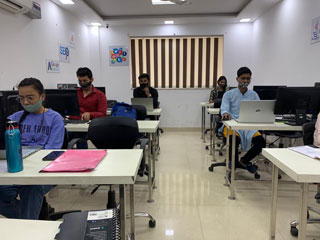
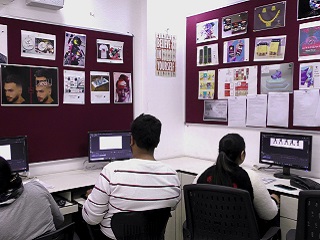
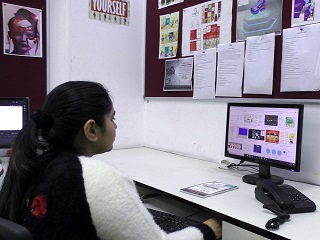 Contact Us !
 FAQs
👉 Who can take Graphic Designing & Video Editing Course?
Any one who is interested to start their career in Designing and video Editing field.
👉 What is the educational qualification required ?
A basic computer knowledge is required to start, there no min education qualification required.
👉 Can I attend a demo session before enrollment?
Yes, you can book a demo session, it would give you a clear insight into how are the classes conducted, quality of instructors and the level of interaction in a class.
👉 How many Software's we can Learn in this Course?
You have to choose Only three Software’s from Photoshop, CorelDraw, Illustrator, Premiere Pro and After Effects.
👉 What if I have more queries with regards this Course?
Just give us a CALL at +919899-355-335 OR email at [email protected]